The short version
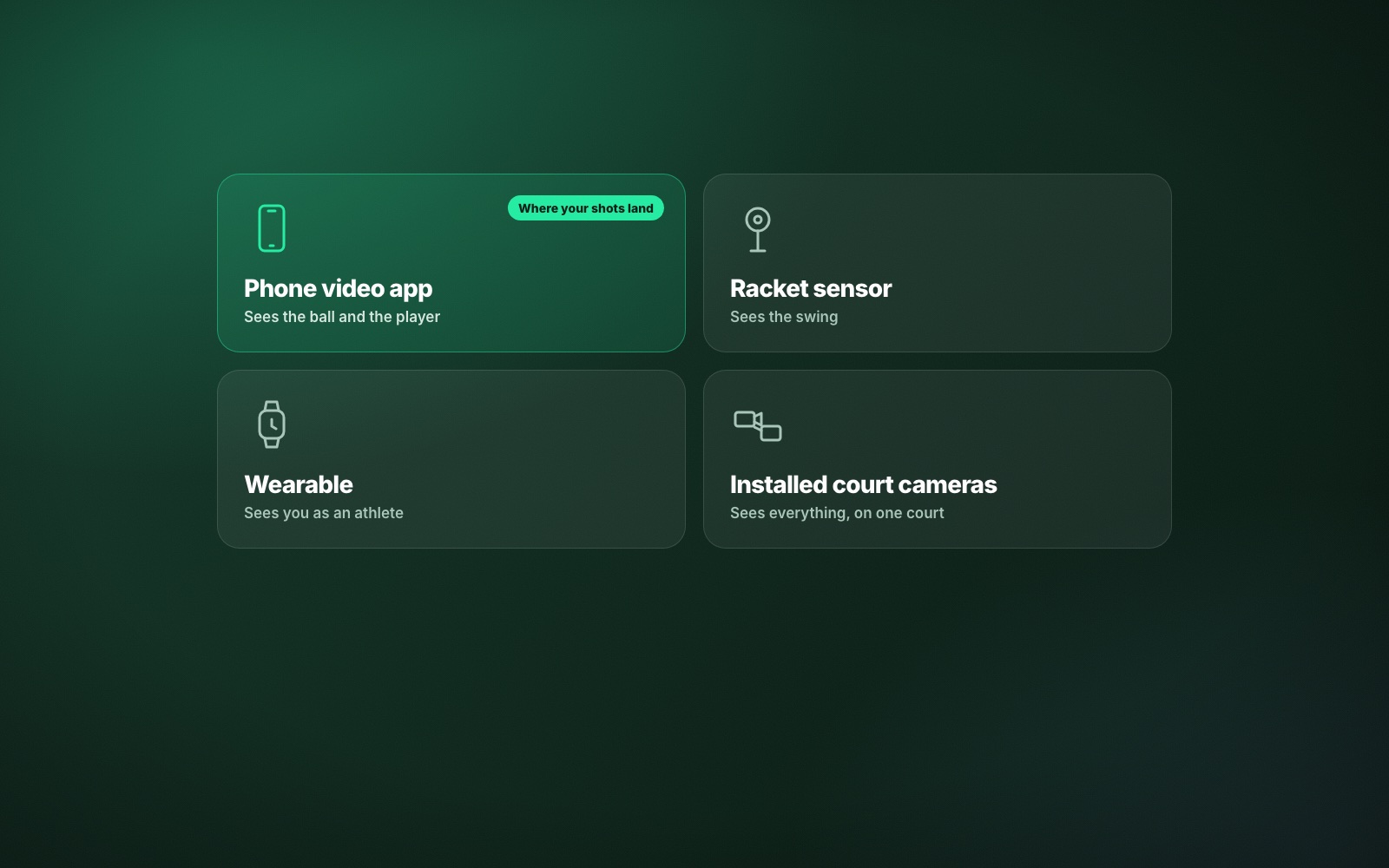
- There are four kinds of AI tennis tool: phone apps, racket sensors, wearables and installed court systems.
- Only tools that watch the ball can tell you where your shots landed, which is what decides points.
- The best tool is the one you will set up every time you play. Friction beats features.
- Look for a tool that admits what it could not measure.
- ContactFrame is a phone app: one phone on a tripod, and the analysis runs on the phone.
Search for the best AI tennis tools and you get a list of very different things with the same two letters on the box. A clip-on sensor, a watch app, a camera system that costs as much as a car and a phone app are all “AI”, and they answer different questions. Before comparing products, it helps to compare kinds. This guide does that, then gives you a checklist for choosing.
A note on fairness: we make ContactFrame, which is one of these tools. We have described the categories as straight as we can and left other products unnamed, because their features change and we would rather not describe them wrongly.
The four kinds of AI tennis tool
1. Phone video analysis apps
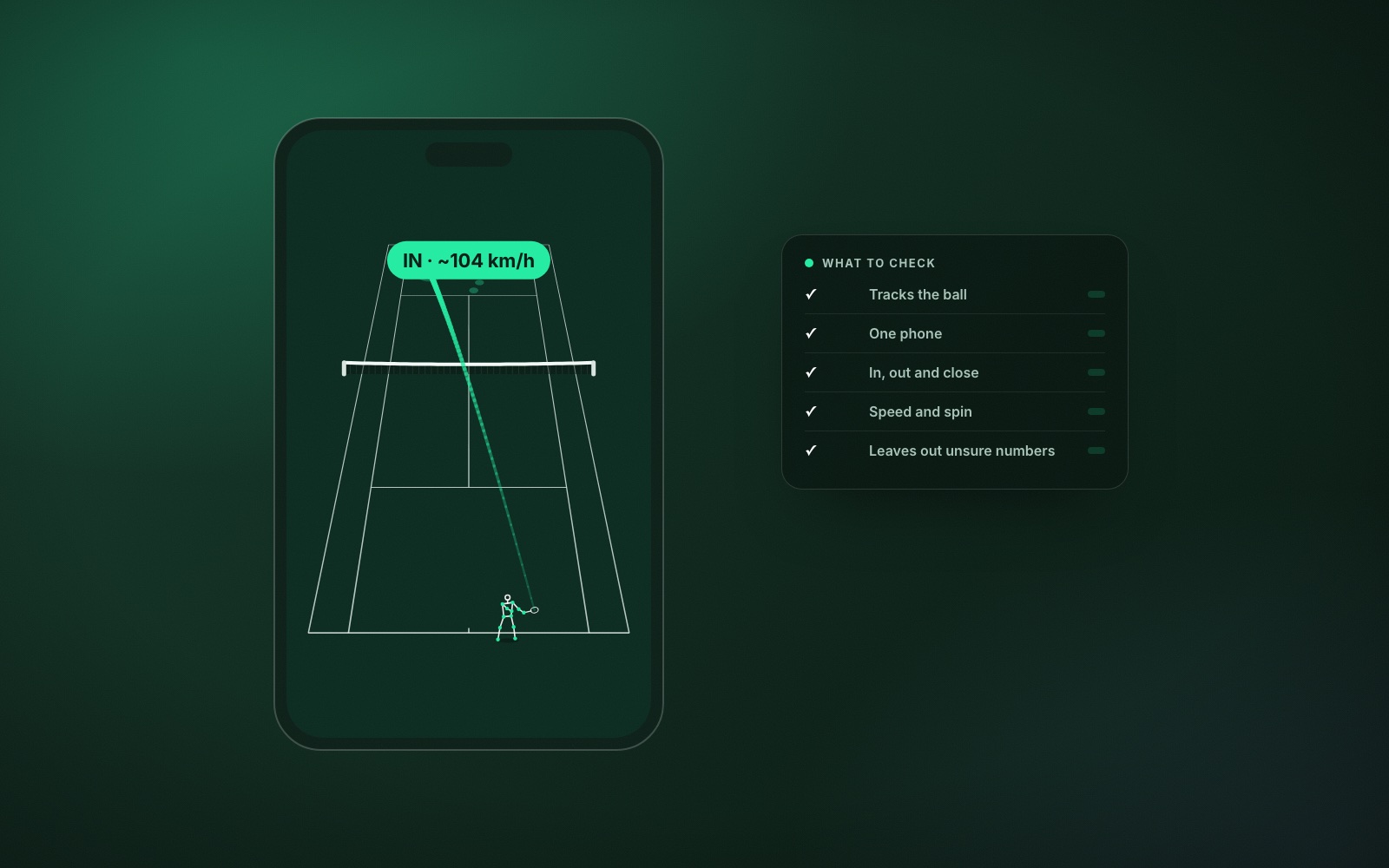
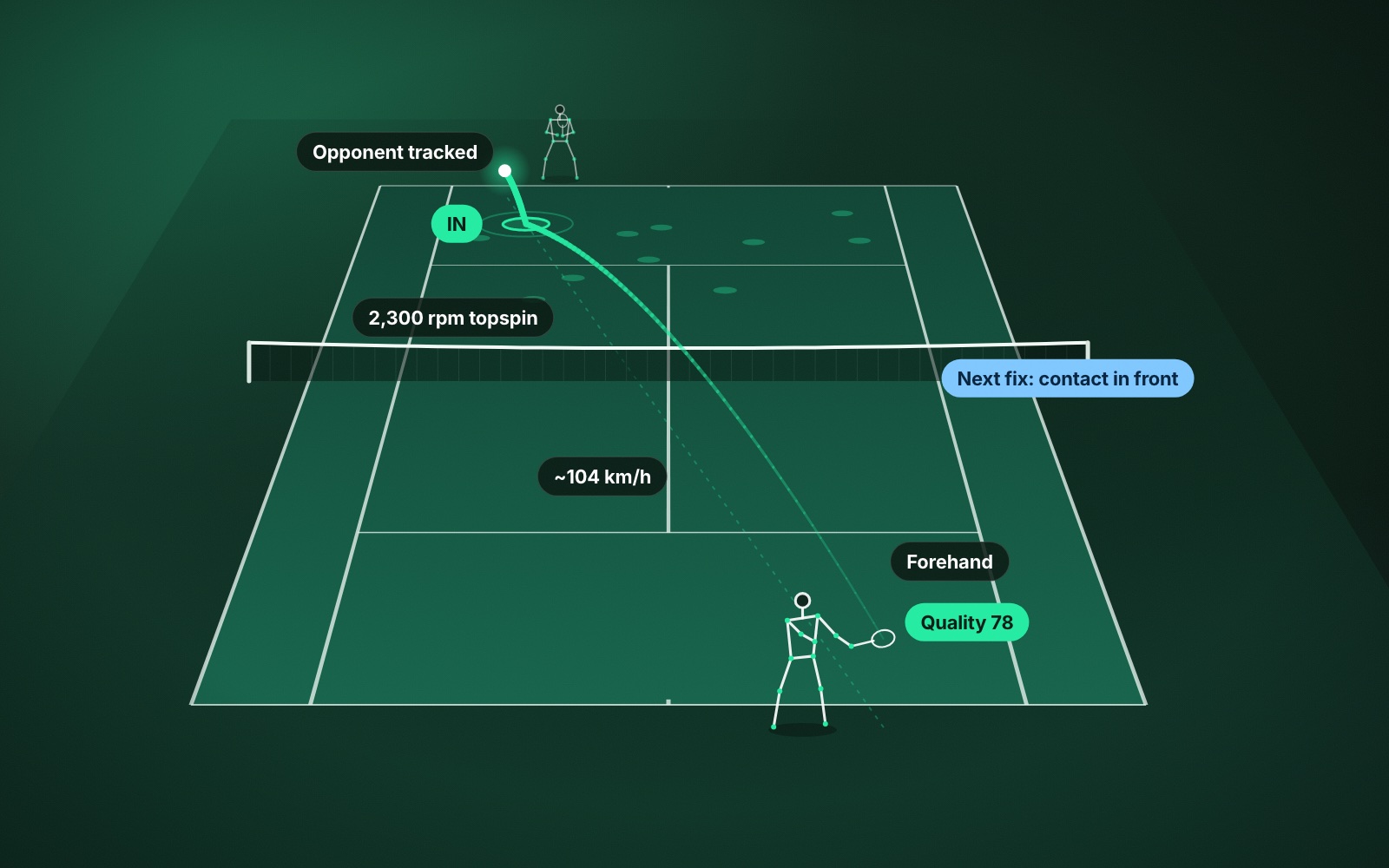
You stand a phone on a tripod behind the baseline and record. The app follows the ball and the players in the video and reports on each shot: where it landed, how fast it was, how much spin it had, whether it was in.
Good at: the ball. Placement, depth, in and out, speed and spin, rallies and points, and often the swing as well. Cheap to start, because you already own the hardware.
Less good at: anything the camera cannot see. A poor camera position gives poor results, so setup matters. See how to record a tennis match on your phone.
2. Racket sensors
A small device in the butt cap or on the strings records how the racket moved.
Good at: the swing. Racket speed, shot counts, how often you hit forehands versus backhands, where on the strings you made contact on some models.
Less good at: the result. A sensor knows how you swung but not where the ball went. It cannot tell a winner from a ball in the back fence.
3. Wearables
A watch or band that logs a tennis session.
Good at: you as an athlete. Heart rate, distance, time on court, sometimes a shot count. Useful for fitness and for keeping a record that you played.
Less good at: tennis itself. A wrist cannot see the ball or the court.
4. Installed court systems
Several fixed cameras on a court at a club or academy, feeding a system that tracks everything.
Good at: accuracy and convenience once you are on that court. Nothing to set up.
Less good at: being where you play. You need a venue that has one, and you usually pay per session or through a membership.
Which AI tennis tool is best for what you want
- “Why am I losing points?” You need the ball. A phone app or an installed court system.
- “Is my technique sound?” A phone app with swing mechanics, or a racket sensor for racket speed alone.
- “Am I getting fitter?” A wearable.
- “Am I improving month to month?” Anything that keeps the same measures session after session and shows the trend. Read how to track your tennis progress.
Most club players are asking the first question, whether they know it or not. Matches are decided by where the ball lands, and only tools that watch the ball can report that.
A checklist for choosing
- Setup time. If it takes more than a couple of minutes, you will stop doing it. Be honest about this one.
- Does it measure the ball, the player or both? Decide which you need before you look at prices.
- Does it admit uncertainty? Every measuring tool is sometimes unsure. A good one shows you a gap or an approximate figure. A bad one shows a confident number every time.
- Does it tell you what to do next? A hundred statistics are less useful than one clear thing to fix.
- Where is the video processed? On your device or uploaded to a server. This affects privacy, speed and whether you need signal at the court.
- Does it work for practice, not only matches? Most improvement happens in practice.
- Total cost over a year, including hardware, subscriptions and court fees.
Where ContactFrame fits
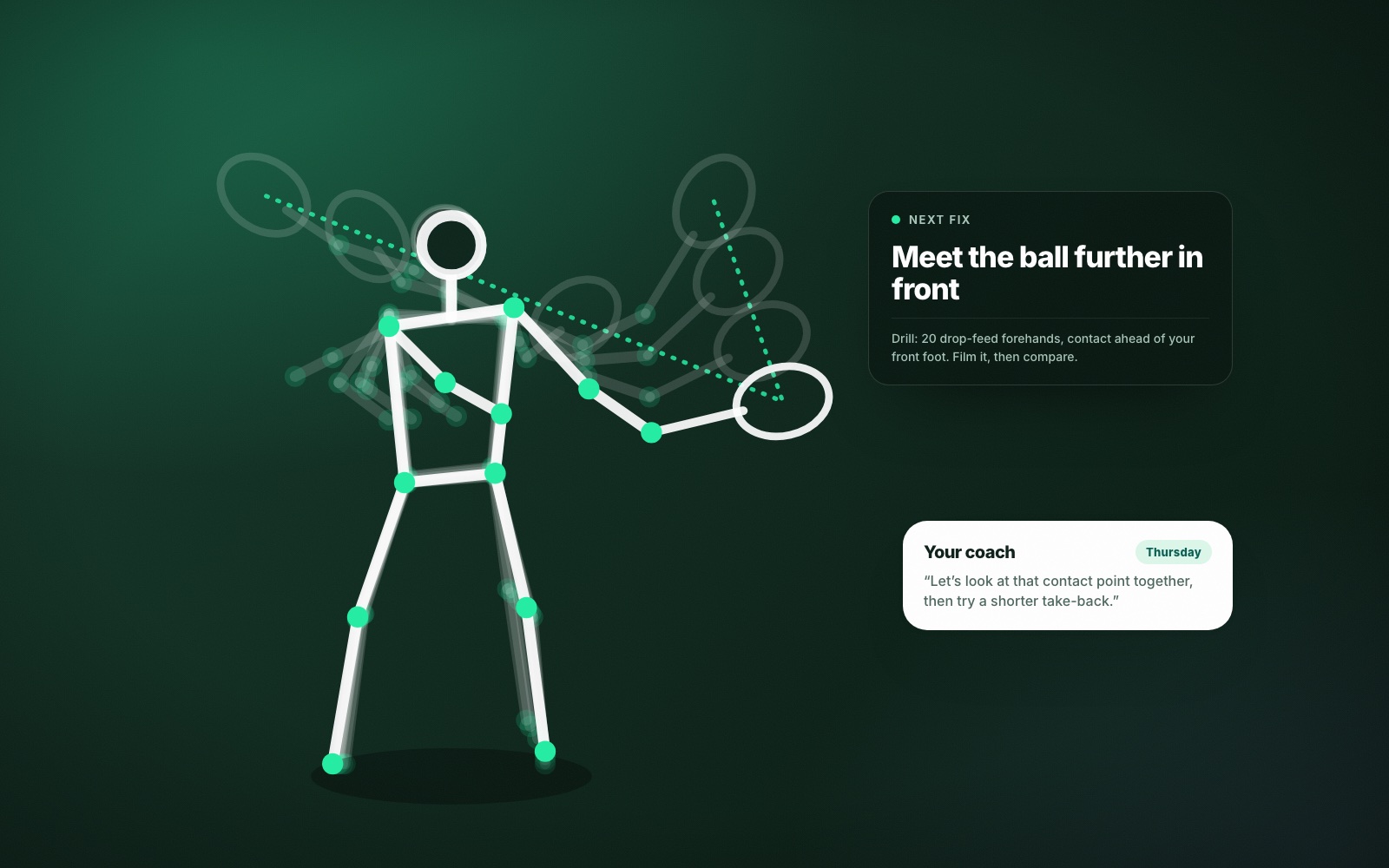
ContactFrame is the first kind: a phone app. You film with one phone on a tripod and the analysis runs on the phone. For every shot it reports where the ball bounced, an in, out or close call, speed and spin. It breaks the session down by serve, forehand, backhand, slice and volley, gives each shot a quality score out of 100, and tracks how you moved. On the Pro plan it adds swing mechanics with one Next fix and a drill. The full list is in what AI tennis video analysis measures.
Two things are unusual about it. It leaves a number blank when it is not sure, and it is joined to a local ladder in the UK, so the matches you analyse can be matches that count.
It is not the right tool for everything. It does not analyse doubles, it is not official line calling, and if what you want is heart-rate data, a watch will serve you better.
AI tools do not replace practice or coaching
No tool on this list hits the ball for you. The honest way to think about AI in tennis is as a mirror with numbers on it. It shortens the gap between what you think you do and what you do. A coach is still better at telling you how to change, which is why the two work well together: see AI tennis coach versus human coach.
If you want to see what a phone app gives you from a real session, The Lab shows one, and our guide to tennis video analysis apps goes deeper into that category.
Common questions
What is the best AI tool for tennis?
For most club players it is a phone-based video analysis app, because it measures the ball as well as the player and needs no extra hardware. The right choice depends on whether you want to know about your shots, your swing or your fitness.
Can AI really improve my tennis?
AI measures; you improve. A good tool shows you which shot is costing you points and whether a change you made has stuck. The practice is still yours to do.
Do I need a sensor on my racket for AI tennis analysis?
No. Video-based tools read the ball and your body from the recording. Racket sensors measure the swing well but cannot see where the ball landed.
Are AI tennis apps worth paying for?
If you play at least once a week and will act on what you see, usually yes. Start on a free plan, film two or three sessions, and upgrade only if the numbers change how you practise.
Is there a free AI tennis app?
ContactFrame has a free plan that includes recording time each month with shot placement, speed, spin and in/out calls. Paid plans add unlimited recording and swing mechanics.
Try the phone-on-a-tripod kind.
ContactFrame measures every shot from one phone. Start free.
See the plans